
1.引入依赖
<?xml version="1.0" encoding="UTF-8"?>
<project xmlns="http://maven.apache.org/POM/4.0.0"
         xmlns:xsi="http://www.w3.org/2001/XMLSchema-instance"
         xsi:schemaLocation="http://maven.apache.org/POM/4.0.0 http://maven.apache.org/xsd/maven-4.0.0.xsd">
    <parent>
        <artifactId>server-ai-demo</artifactId>
        <groupId>com.shenma</groupId>
        <version>1.0-SNAPSHOT</version>
    </parent>
    <modelVersion>4.0.0</modelVersion>

    <artifactId>demo-ai-flux</artifactId>

    <properties>
        <maven.compiler.source>17</maven.compiler.source>
        <maven.compiler.target>17</maven.compiler.target>
        <project.build.sourceEncoding>UTF-8</project.build.sourceEncoding>
        <spring-boot.version>3.5.9</spring-boot.version>
        <knife4j.version>4.3.0</knife4j.version>
        <langchain4j.version>1.0.0-beta3</langchain4j.version>
        <mybatis-plus.version>3.5.11</mybatis-plus.version>
    </properties>

    <dependencies>
        <!-- web应用程序核心依赖 -->
        <dependency>
            <groupId>org.springframework.boot</groupId>
            <artifactId>spring-boot-starter-web</artifactId>
        </dependency>
        <!-- 编写和运行测试用例 -->
        <dependency>
            <groupId>org.springframework.boot</groupId>
            <artifactId>spring-boot-starter-test</artifactId>
            <scope>test</scope>
        </dependency>
        <!-- 前后端分离中的后端接口测试工具 -->
        <dependency>
            <groupId>com.github.xiaoymin</groupId>
            <artifactId>knife4j-openapi3-jakarta-spring-boot-starter</artifactId>
            <version>${knife4j.version}</version>
        </dependency>

        <dependency>
            <groupId>dev.langchain4j</groupId>
            <artifactId>langchain4j-open-ai-spring-boot-starter</artifactId>
            <version>1.0.0-beta3</version>
        </dependency>

        <dependency>
            <groupId>dev.langchain4j</groupId>
            <artifactId>langchain4j-spring-boot-starter</artifactId>
            <version>1.0.0-beta3</version>
        </dependency>

        <dependency>
            <groupId>org.springframework.boot</groupId>
            <artifactId>spring-boot-starter-webflux</artifactId>
        </dependency>
        <dependency>
            <groupId>dev.langchain4j</groupId>
            <artifactId>langchain4j-reactor</artifactId>
            <version>1.0.1-beta6</version>
        </dependency>


    </dependencies>

    <dependencyManagement>
        <dependencies>
            <!--引入SpringBoot依赖管理清单-->
            <dependency>
                <groupId>org.springframework.boot</groupId>
                <artifactId>spring-boot-dependencies</artifactId>
                <version>${spring-boot.version}</version>
                <type>pom</type>
                <scope>import</scope>
            </dependency>

            <!--引入langchain4j依赖管理清单-->
            <dependency>
                <groupId>dev.langchain4j</groupId>
                <artifactId>langchain4j-bom</artifactId>
                <version>${langchain4j.version}</version>
                <type>pom</type>
                <scope>import</scope>
            </dependency>

            <!--引入百炼依赖管理清单-->
            <dependency>
                <groupId>dev.langchain4j</groupId>
                <artifactId>langchain4j-community-bom</artifactId>
                <version>${langchain4j.version}</version>
                <type>pom</type>
                <scope>import</scope>
            </dependency>
        </dependencies>
    </dependencyManagement>

</project>
2.配置流式模型对象application.yml
langchain4j:
  open-ai:
    chat-model: # 非流式模型配置
      base-url: https://dashscope.aliyuncs.com/compatible-mode/v1
      api-key: ${DASH_SCOPE_API_KEY}
      model-name: qwen-plus
      log-requests: true
      log-responses: true
    streaming-chat-model: #流式模型配置,下面的都一样
      base-url: https://dashscope.aliyuncs.com/compatible-mode/v1
      api-key: ${DASH_SCOPE_API_KEY}
      model-name: qwen-plus
      log-requests: true
      log-responses: true
logging:
  level:
    dev.langchain4j: debug #日志级别
server:
  port: 8282
3.调整ConsultantService中的代码
ConsultantService中的chat方法的返回值类型,需要修改为支持流式处理的类型Flux,同时还需要在AiService注解中,通过streamingChatModel属性, 配置一下流式调用的模型对象,值为openAistreamingChatModel
注解中同时配置chatModel和streamingChatModel只是 “声明可用模型”,不决定最终调用模式;
核心规则:方法返回普通类型(String)→ 非流式(用 chatModel);返回流式类型(Flux/Publisher)→ 流式(用streamingChatModel);
package com.shenma.service;

import dev.langchain4j.service.spring.AiService;
import dev.langchain4j.service.spring.AiServiceWiringMode;
import reactor.core.publisher.Flux;

/**
 * @author 军哥
 * @version 1.0
 * @description: TODO
 * @date 2026/4/7 11:34
 */


@AiService(
        wiringMode = AiServiceWiringMode.EXPLICIT,
        chatModel = "openAiChatModel",
        streamingChatModel = "openAiStreamingChatModel"
)
public interface ConsultantService {
    public Flux<String> chat(String message);
}
4.调整ChatController中的代码
修改返回类型
package com.shenma.controller;

import com.shenma.service.ConsultantService;
import org.springframework.beans.factory.annotation.Autowired;
import org.springframework.web.bind.annotation.PostMapping;
import org.springframework.web.bind.annotation.RequestMapping;
import org.springframework.web.bind.annotation.RequestParam;
import org.springframework.web.bind.annotation.RestController;
import reactor.core.publisher.Flux;

/**
 * @author 军哥
 * @version 1.0
 * @description: TODO
 * @date 2026/4/7 11:35
 */

@RestController
public class ChatController {
    @Autowired
    private ConsultantService consultantService;
    //produces:响应的数据编码类型
    @PostMapping(value = "/chat", produces = "text/html;charset=utf-8")
    public Flux<String> chat(@RequestParam("message") String message){
        Flux<String> result = consultantService.chat(message);
        return result;
    }
}
5.请求测试
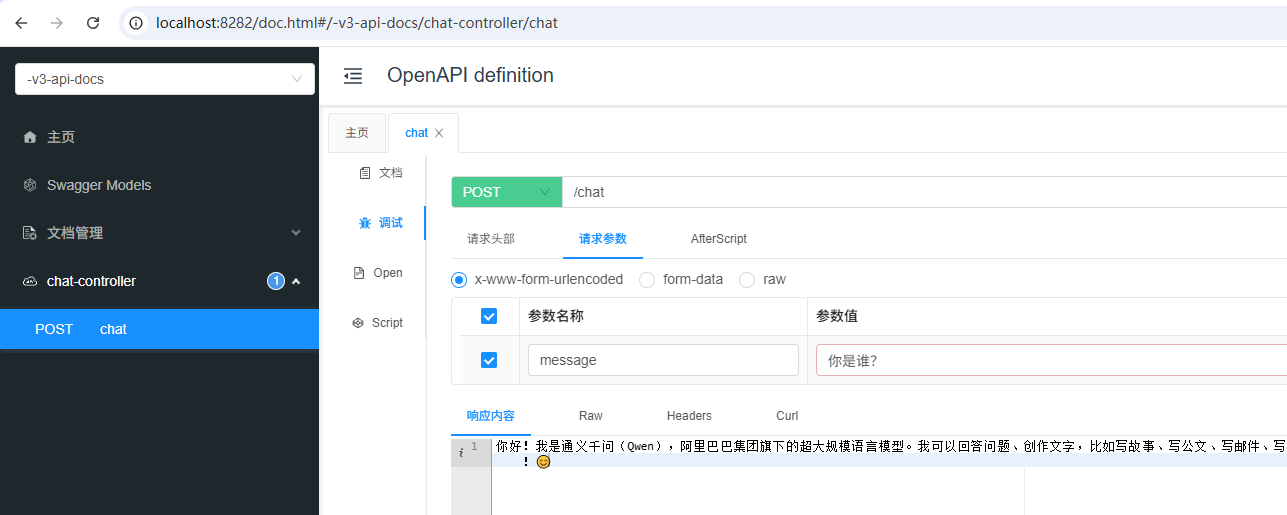
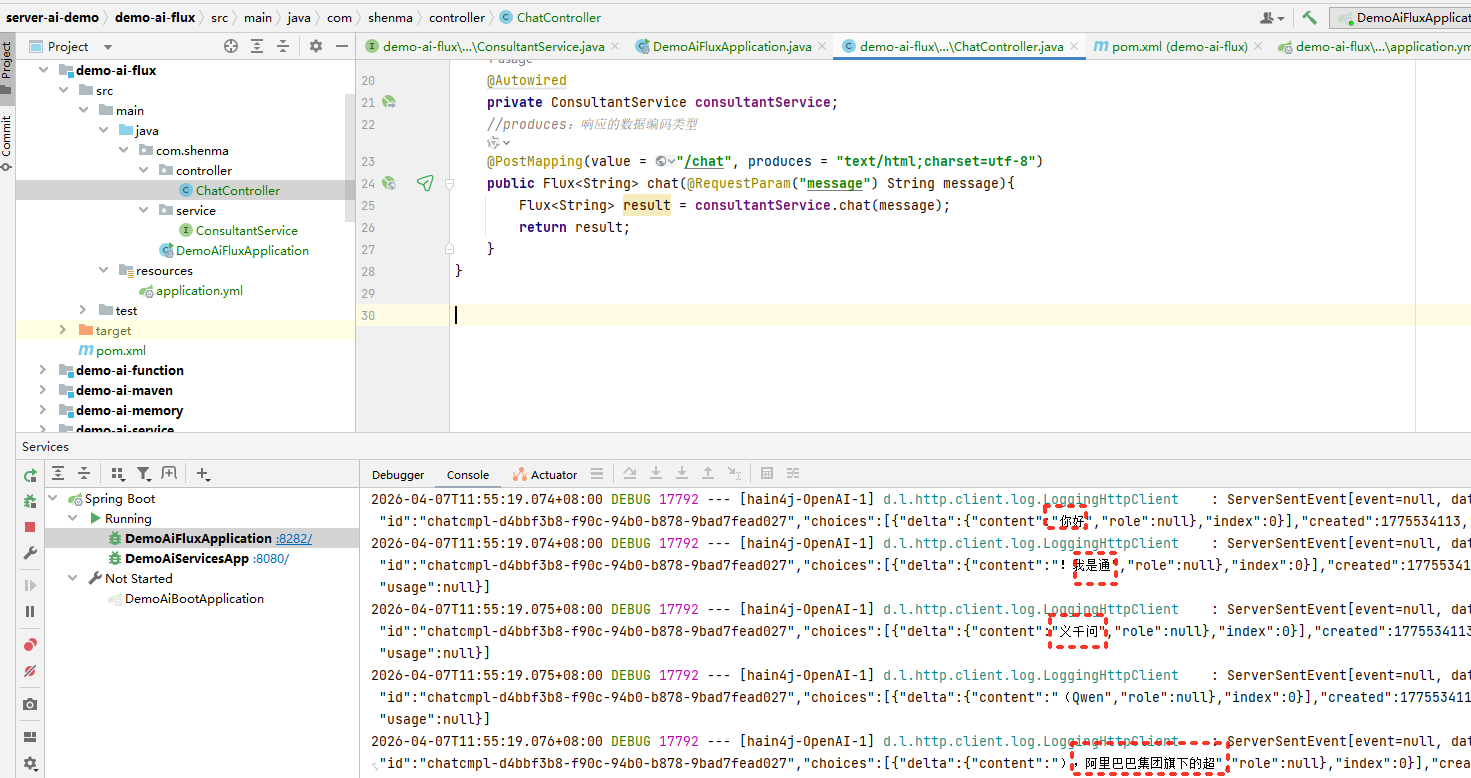
源码仓库
https://gitee.com/ywbingchuan/server-ai-demo/tree/master/demo-ai-flux